
Is my image good enough for printing?
From the WhiteWall expert Jan-Ole Schmidt
An image on a monitor can look brilliant—but when it comes to printing, more than just the first impression counts. As soon as a digital photo is transferred to a physical medium, technical factors such as resolution, sharpness, and file format play a decisive role. The question quickly arises: Is the quality of my image good enough to hang it on the wall in gallery size?
This uncertainty affects not only amateur photographers, but also experienced professionals. While some images shine with impressive details, others suddenly appear soft, noisy, or disappointingly flat when printed. This makes it all the more important to understand what requirements an image should meet for high-quality printing—and what options are available for optimizing lower-quality image files.
In this article, we'll show you what to look for when assessing print quality, how you can use modern technologies such as WhiteWall SuperResolution to prepare even low-resolution images for large-format printing, and why it's worth checking every image with a professional eye on the end result. Because a strong print always starts with the right preparation.
1. Resolution and image size – the technical basis

Whether an image is suitable for high-quality printing depends largely on its resolution. But not all resolutions are the same: it's not just the number of pixels that matters, but also the ratio to the desired print size. Only when the image size and print format are in harmony will the result on paper or other materials be as brilliant as it is on the screen.
1.1 Number of pixels vs. print size: What is crucial?
As a general rule, the number of pixels in an image (width × height) determines how large it can be printed without a loss of quality. The larger the desired print, the more image information must be available. A small file that looks razor-sharp on a smartphone can quickly reach its limits in large-format printing.
For example: An image with 3,000 × 2,000 pixels (6 megapixels) has a print size of approximately 25 × 17 cm at a print resolution of 300 dpi. While this resolution is sufficient to produce a large-format wall art piece measuring 90 × 60 cm—and even in good quality, depending on the viewing distance— However, a higher source resolution would result in a more detailed print that looks impressive even from a closer distance.
1.2 Guidelines: How much resolution do I need for which print?
It is difficult to apply a general rule here, as the required resolution depends on the size of the printed image and, in particular, the viewing distance. A guideline value of 300 dpi is often used to calculate the recommended print size of an image. This is particularly useful if the image is viewed at close range, for example, when holding photo prints in your hand or looking at a WhiteWall Coffee Table Book.
For large-format wall art that is viewed from a typical living room distance or several meters away, the resolution can be significantly lower without compromising image quality. In such cases, a small fraction of the mathematically ideal dpi values is often sufficient, as the eye perceives fewer fine details from a greater distance.
1.3 Understanding DPI (dots per inch): What do 150, 240, or 300 dpi mean?
DPI stands for "dots per inch" and describes the print resolution—i.e., how many pixels are reproduced per inch (2.54 cm).
300 dpi: Highest level of detail – ideal for close-up viewing (e.g., photo prints)
240 dpi: Very good quality for wall art and gallery prints
150 dpi: Good quality for large formats viewed from a distance
Tip: WhiteWall automatically checks your image data during the ordering process and lets you know if the resolution is sufficient for the selected format.
In summary:
The resolution must match the desired print size
300 dpi is ideal for reproducing fine details; 150 dpi is generally sufficient when viewed from a distance
Rule of thumb: the larger the print, the higher the requirement for the absolute number of pixels—however, because of the greater viewing distance, the relative resolution (dpi / ppi) can be lower
2. Check image quality: sharpness, noise, artifacts

Pure resolution is only one aspect of print quality. Even a high-resolution image may be unsuitable for printing if it is blurred, has digital artifacts, or has been compressed too much. A thorough check of image quality is therefore just as important as clarifying technical specifications.
2.1 Important quality characteristics for printing
In addition to resolution, the following aspects should be critically examined:
Image sharpness: Fine details, sharp edges, and clearly defined contours are essential for high-quality printing. Slight blurring is hardly noticeable in small formats, but quickly appears washed out over large areas.
Noise behavior: Image noise occurs especially in shots with high ISO settings or in poor lighting conditions. This can become more visible in print.
Compression artifacts: Heavy JPEG compression can lead to block formation and color fringing, especially in uniform color areas such as skies or shadow areas.
2.2 Why screen display can be deceiving
Monitors often display images with greater contrast and brilliance than they actually have, especially on small display formats. In addition, many devices have automatic image optimization features that conceal blurring and noise. When printed, however, the image is reproduced "without these corrections," i.e., without any aids, directly on the selected material.
For this reason, it makes sense to evaluate images at 100 percent or 200 percent magnification on a pre-calibrated monitor—this is the only way to realistically assess details and possible defects.
2.3 The role of RAW files and high-quality editing
Those who shoot in RAW format have significantly more leeway in post-processing, especially when it comes to sharpness, noise, and contrast. RAW files offer:
Greater dynamic range
More finely graded colors
Better control over image corrections
Clean post-processing—ideally in a calibrated workflow—helps you get the most out of every image and make it ready for printing.
In summary:
Sharpness, noise, and compression artifacts significantly affect the print
Screen displays are often embellished – real assessment only possible at 100–200% zoom
RAW files and targeted post-processing create the basis for high print quality
3. Help with low resolution: WhiteWall SuperResolution

Not every image is available in perfect print resolution – be it an older digital photo, a scan from the analog era, or a great shot that was simply taken with a smartphone or sent via messenger. But that doesn't necessarily mean it can't be printed in large format. With WhiteWall SuperResolution, WhiteWall offers a state-of-the-art solution for intelligently enlarging image files – without any visible loss of quality.
3.1 What is SuperResolution and how does it work?
WhiteWall SuperResolution is based on artificial intelligence. It analyzes the existing image material and supplements missing information based on trained image patterns. Unlike classic interpolation, where pixels are simply enlarged, AI generates new details – ensuring a sharper, more detailed image even in large formats.
WhiteWall applies this technology directly in the ordering process – at no additional cost to the customer.
3.2 For which images is this technology useful?
SuperResolution is particularly suitable for:
Images with too low a resolution for the desired print format
Photos taken with older cameras or smartphones
Photos that have been heavily cropped and no longer have enough pixels
Scans of analog images or slides
3.3 Advantages for large print formats and older image files
This technology is a real asset, especially for large-format wall art. Instead of having to resort to smaller formats, your favorite motif can be presented to full effect—for example, as an acrylic glass picture, aluminum Dibond, or a photo in a high-quality passe-partout frame.
The technology is also a valuable tool for photographers with extensive archives or digital memories from earlier years, allowing them to reactivate old treasures.
3.4 More information: WhiteWall SuperResolution
If you would like to learn more about the technology and its application, you can find further information here:
→ To WhiteWall SuperResolution
In summary:
WhiteWall SuperResolution allows prints to be made from files with low original resolution
The technology intelligently supplements image details based on artificial intelligence
Ideal for large-format wall art, old photographs, or smartphone photos
4. Image selection with the end product in mind

It is not only the technical quality of an image that determines its success in print—the motif itself and its visual effect on the chosen material also play an important role. Especially when displayed on a wall, each image has a different presence depending on how it is designed, enlarged, and framed. It is therefore worth checking not only the resolution but also the suitability of the design for the desired end product.
4.1 Which motif is suitable for which type of print?

Different image content harmonizes particularly well with certain printing materials:
Landscapes and nature shots look particularly brilliant on photo paper behind acrylic glass – thanks to their vibrant colors and high depth effect.
Architectural and urban motifs benefit from the clear structure on aluminum Dibond or as a Fine Art Print on a matte surface, as details are reproduced precisely.
Portraits and artistic series can be printed excellently on Fine Art papers – with a velvety feel and subtle sheen.
4.2 Rich detail and color effect on different materials
The substrate should be chosen according to the complexity of the motif. High-resolution images with lots of detail and fine textures have an impressive effect on smooth, glossy materials. Matte surfaces, on the other hand, are particularly suitable for:
Images with calm colors
Photographs with fine grain or gentle contrast
Black-and-white motifs with a classic look
Tip: Images with strong bokeh or deliberate blurring can also look great in lower technical quality—if the motif is harmonious and the image effect is intentional.
4.3 Design freedom through format selection and white margins

The format also has a decisive influence on the effect. A panorama attracts the eye with its width – ideal for landscapes. Square formats appear calm and harmonious, perfect for graphic motifs or minimalist compositions.
Additional design elements:
White border or passe-partout: gives the image room to breathe and directs the focus
Frame selection: color, material, and depth can be used to specifically emphasize the image's effect
Multi-part arrangement: ideal for series or particularly large rooms
In summary:
The motif should match the material, format, and viewing distance
Detailed images benefit from smooth, glossy surfaces – soft motifs from matte papers
White borders, passe-partout, and format selection are creative tools for achieving a harmonious overall effect
5. Conclusion: Technical knowledge + intuition = impressive print results

Recognizing a good image for printing is not purely a question of megapixels – it is a combination of technical preparation, creative flair, and a realistic view of the end product. The right resolution, clean image editing, and the choice of the right printing material are crucial to how convincing your photo looks on the wall.
Even if the image file does not appear optimal at first glance, this does not necessarily mean the end of your planned wall art. WhiteWall makes it easy: thanks to automatically active SuperResolution technology and the integrated quality indicator, users do not have to deal with technical details regarding print resolution. If the resolution is too low for the selected format, the system intervenes intelligently, automatically, and without any visible loss of quality. This makes it easy to achieve professional printing results.
Those who understand the technical basics and at the same time consider the effect of the image in the room will be rewarded with a print that is not only sharp and brilliant—but also emotionally touching. Because a strong image is not only good enough for printing. It is made for it.
Learn more about the author
Jan-Ole Schmidt (better known simply as Ole) is from northern Germany and has been with WhiteWall for many years. As a team leader in product management, he brings extensive experience in the photography industry. He taught himself photography and has built up in-depth expertise in image production, papers, laminations, and framing.
His strength lies in the combination of technical expertise and customer perspective - from file upload to framing in the WhiteWall configurator. Ole has held workshops, been a guest on podcasts and is in close contact with the photography community. He lives, works and photographs in Cologne.

WhiteWall Product Recommendations


Also interesting:
Submitted by WhiteWall expert Jan-Ole Schmidt

What is a digital image?
Pixels, DPI, and file formats—the technical basis of an image determines its effect. Our expert Jan-Ole Schmidt explains the basics, from creation to optimal preparation for printing. Learn everything you need to know about resolution and pixel density for your perfect wall art.
Submitted by WhiteWall expert Jan-Ole Schmidt
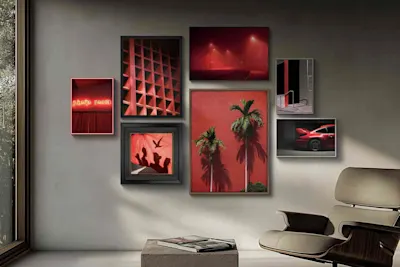
The path to perfect printing: What matters when it comes to image quality
From file to masterpiece: Learn how the interplay of resolution, DPI, and viewing distance affects your print results. Our expert Jan-Ole Schmidt provides valuable tips on preparing your images—from smartphone photos to large-format gallery prints. Use the WhiteWall quality check for perfect presentation.
Submitted by WhiteWall expert Jan-Ole Schmidt

Optimize images for printing
Brilliant colors and razor-sharp details: Learn how to prepare your images specifically for printing. We explain how to use ICC profiles for soft proofs and how AI-supported automatic image optimization works. This ensures that your wall art matches your color expectations exactly.