The digital image
Submitted by WhiteWall expert Jan-Ole Schmidt

What is a digital image?
Pixels, DPI, and file formats—the technical basis of an image determines its effect. Our expert Jan-Ole Schmidt explains the basics, from creation to optimal preparation for printing. Learn everything you need to know about resolution and pixel density for your perfect wall art.
Submitted by WhiteWall expert Jan-Ole Schmidt
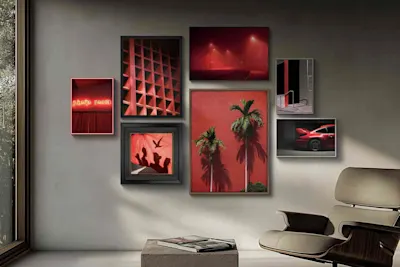
The path to perfect printing: What matters when it comes to image quality
From file to masterpiece: Learn how the interplay of resolution, DPI, and viewing distance affects your print results. Our expert Jan-Ole Schmidt provides valuable tips on preparing your images—from smartphone photos to large-format gallery prints. Use the WhiteWall quality check for perfect presentation.
Submitted by WhiteWall expert Jan-Ole Schmidt

Optimize images for printing
Brilliant colors and razor-sharp details: Learn how to prepare your images specifically for printing. We explain how to use ICC profiles for soft proofs and how AI-supported automatic image optimization works. This ensures that your wall art matches your color expectations exactly.
Submitted by WhiteWall expert Jan-Ole Schmidt

Screen calibration – For reliable colors from monitor to print
Does your printout match exactly what you edited on the screen? Find out why calibrating your monitor is the key to color-accurate results. We'll show you step by step how to adjust brightness and contrast correctly to avoid misprints and ensure the full brilliance of your images on materials such as acrylic glass or fine art paper.
Submitted by WhiteWall expert Jan-Ole Schmidt

Image upscaling and SuperResolution
Does your printout match exactly what you edited on the screen? Find out why calibrating your monitor is the key to color-accurate results. We'll show you step by step how to adjust brightness and contrast correctly to avoid misprints and ensure the full brilliance of your images on materials such as acrylic glass or fine art paper.
Submitted by WhiteWall expert Jan-Ole Schmidt

Photography and AI: from image creation to photo upscaling
Artificial intelligence is revolutionizing photography—from automatic subject optimization to the reconstruction of fine details. Discover how AI-powered techniques transform low-resolution files into print-ready works of art and open up new creative possibilities. Discover how to use intelligent tools to prepare your images for large-format gallery printing without losing creative control.
Submitted by WhiteWall expert Jan-Ole Schmidt

Is my image good enough for printing?
A brilliant image on the monitor does not guarantee a perfect print. Learn how resolution, sharpness, and file format influence the final result on paper or acrylic glass. We'll show you how to professionally optimize even low-resolution images for large-format printing with WhiteWall SuperResolution.