
Designing a coffee table book – simple, secure, online
Direct and secure: with our online software to the perfect coffee table book
Our online software allows you to design coffee table books without having to download and install software on your own computer. We store your design on a secure server for up to 90 days – no additional backup is required. This gives you enough time to edit and helps save you storage space. Yet another advantage: you can work on your coffee table book from any computer. All projects are saved in your account under "My Coffee Table Books".
Step by step creation of the coffee table book: simply online
Our online software for creating your Coffee Table Book is clear, flexible and intuitive. In just a few steps, you can create your individually designed Coffee Table Book:
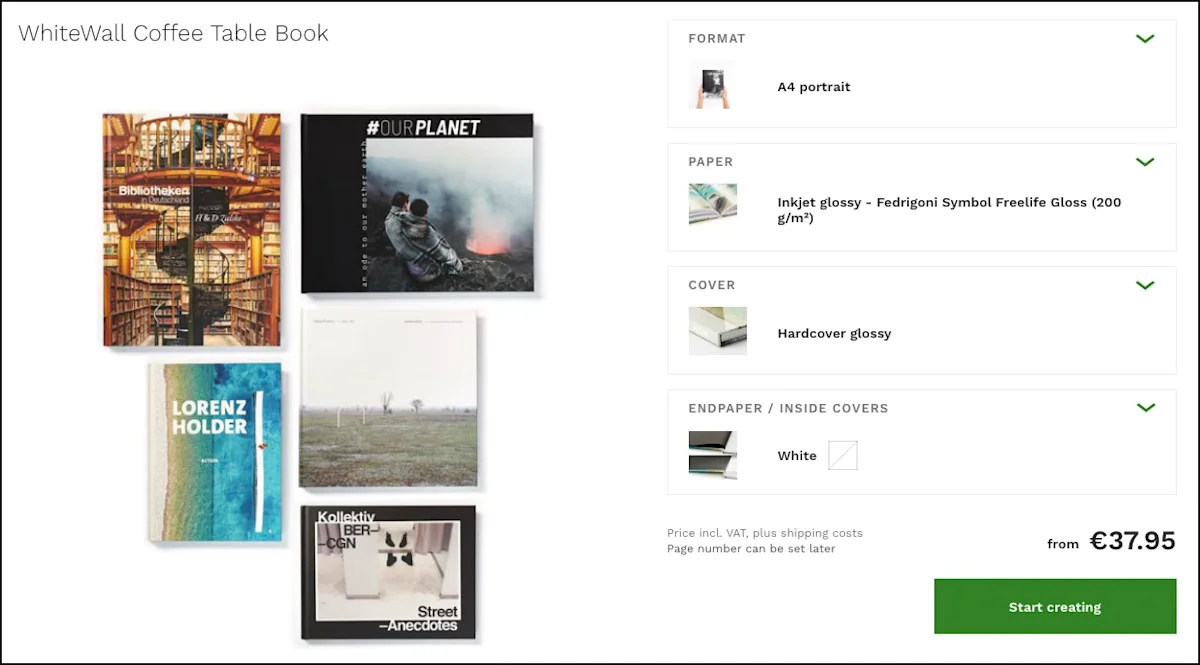
[1] Set Coffee Table Book options: Select format, paper, cover and endpaper
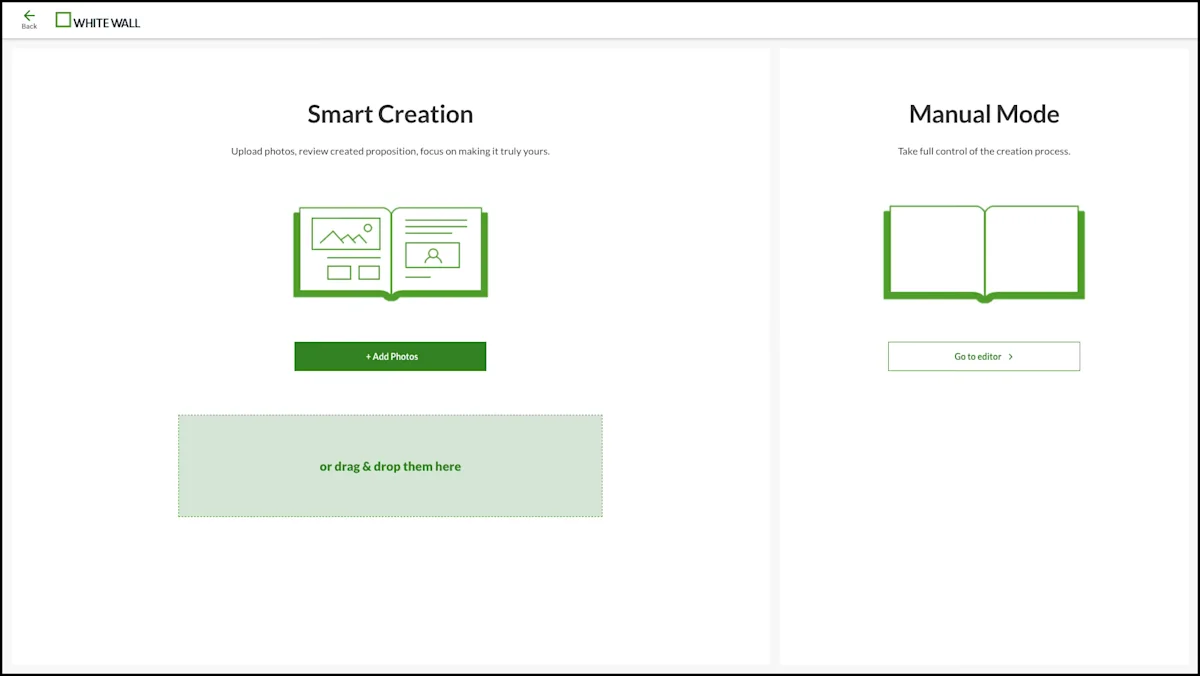
[2] Choose a design mode: Smart Creation or manual design
[3] Add photos: Upload images and select them for your Coffee Table Book
[4] Design your Coffee Table Book: Customize the intelligent design proposal or create the pages yourself
[5] Preview: Virtually flip through your Coffee Table Book before ordering
Choose a design path
Decide for yourself how you want to design your Coffee Table Book:
With Smart Creation, our intelligent design assistant creates a harmonious, ready-to-order Coffee Table Book proposal in just a few clicks. If you wish, Smart Creation automatically decides which photos to include or exclude and also determines the appropriate number of pages. You can then customize the finished proposal to suit your preferences.
Alternatively, you can design your Coffee Table Book entirely yourself in manual mode – with your own layouts, texts and designs for maximum creative control over every single page.
Customize your Coffee Table Book
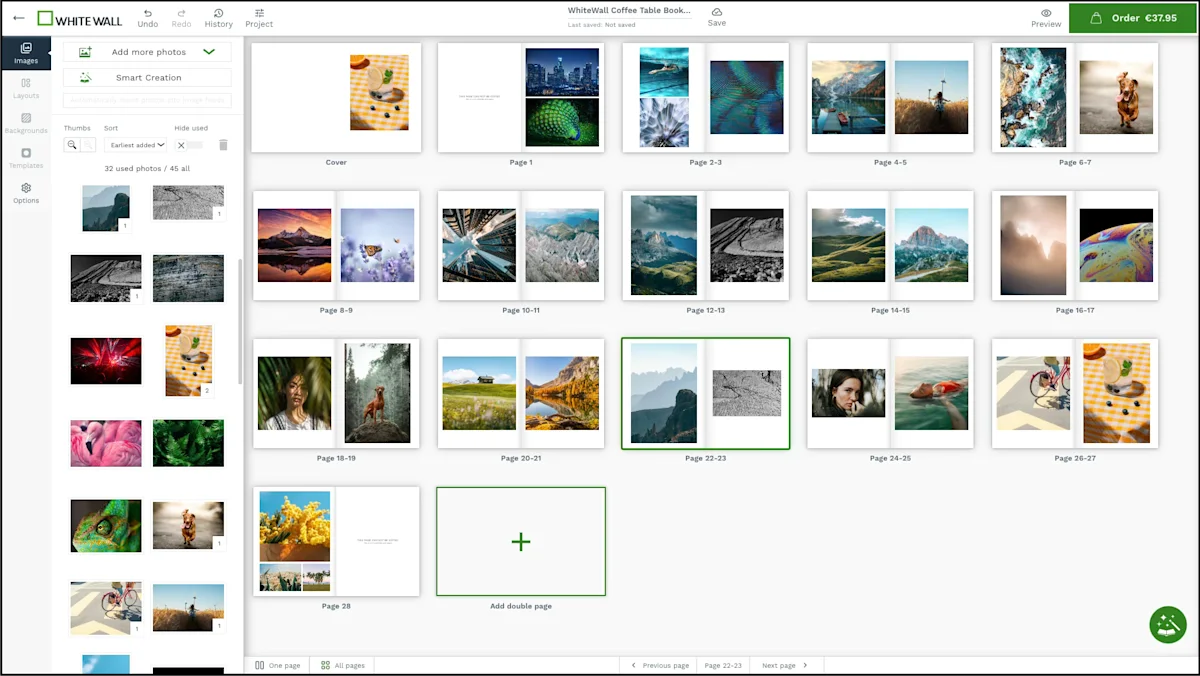
After uploading your photos, you can customize your Coffee Table Book – regardless of whether you chose to design it with Smart Creation or manually. All uploaded photos are available in the left-hand sidebar. There you will also find all key design options, such as product options, layouts, backgrounds and masks. To add elements such as text, shapes or images, simply switch to the single-page view and use the corresponding tools directly in the product view.
Share your coffee table book for twice the enjoyment
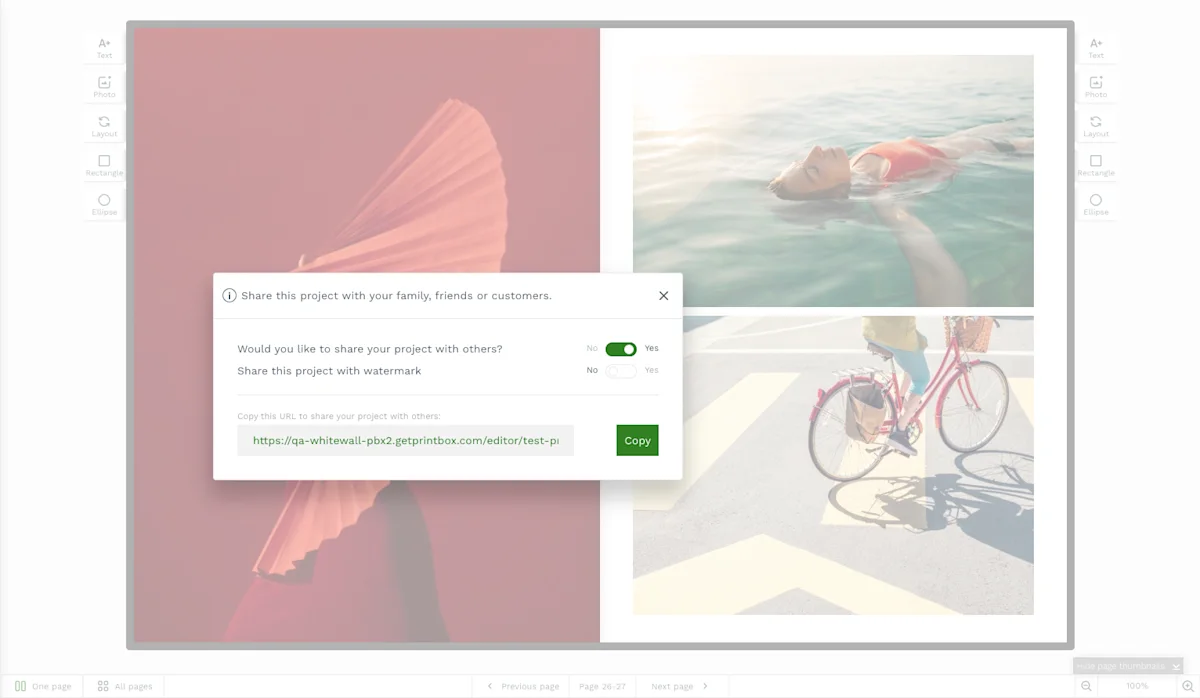
Vacation with friends, a big family celebration or a special client gift: Sometimes you simply need to share and coordinate a Coffee Table Book with others before it goes to print. With our new online software, you can easily send a preview – with or without a transparent watermark. This gives others insight into your work and allows them to provide feedback.
The coffee table book software: important information
WhiteWall's online software makes designing your coffee table book easier than ever before. Upload your desired photos up to a maximum size of 50 MB and get started right away. We will store the current status for 90 days. If this is not enough time, you can easily extend the deadline by opening your coffee table book online and saving it again for 90 days. You can find more information in the User Guide of our editor.
